

Over the last two months we changed how Velai decides which jobs to show you and how it explains them. Here is what's different, with pictures. The screenshots use a made-up nurse in Toronto and made-up employers.
Every match says why
When Velai has your résumé, each role carries one of three labels: Strong, Good or Stretch. The label is the same everywhere you see that role: in search, on your home page and on the job itself. Roles like the one you do now come first.
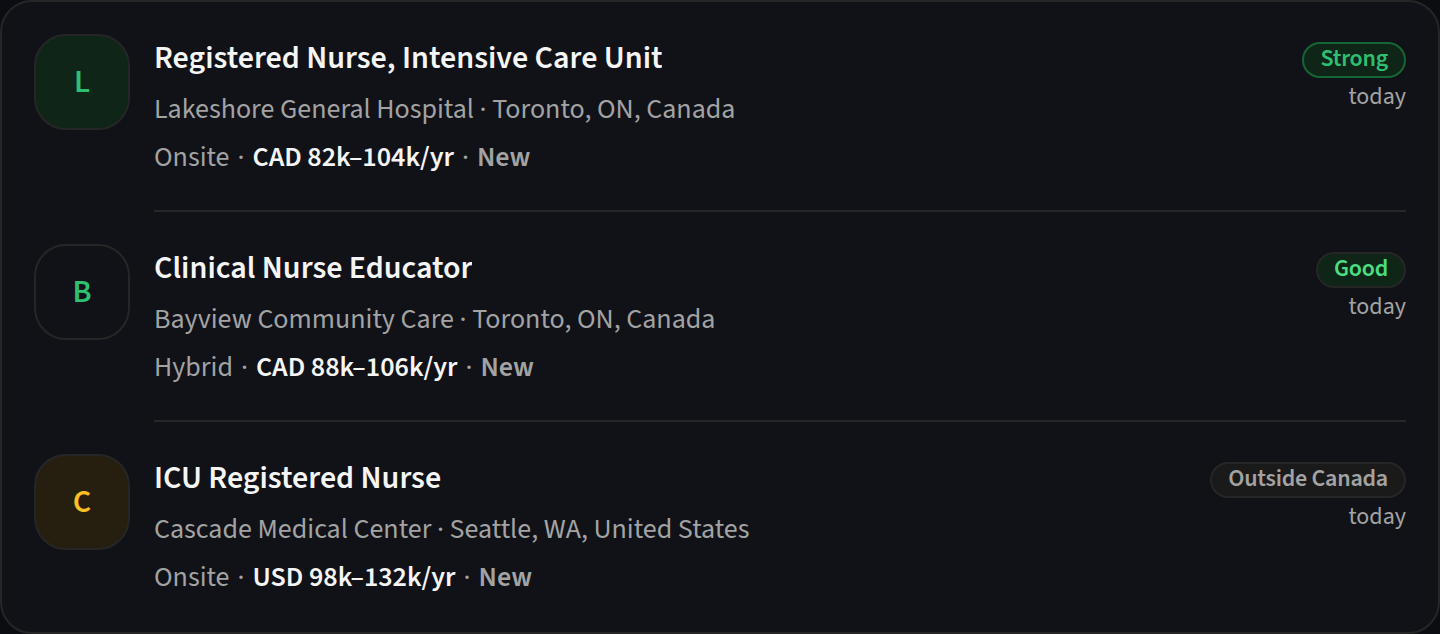
Open the label and Velai shows what it counted: how many of the role's own terms appear on your résumé, whether the level matches yours, and whether the job is in your country. Pay is never counted. That's your call to weigh.
Roles you can't work from say so
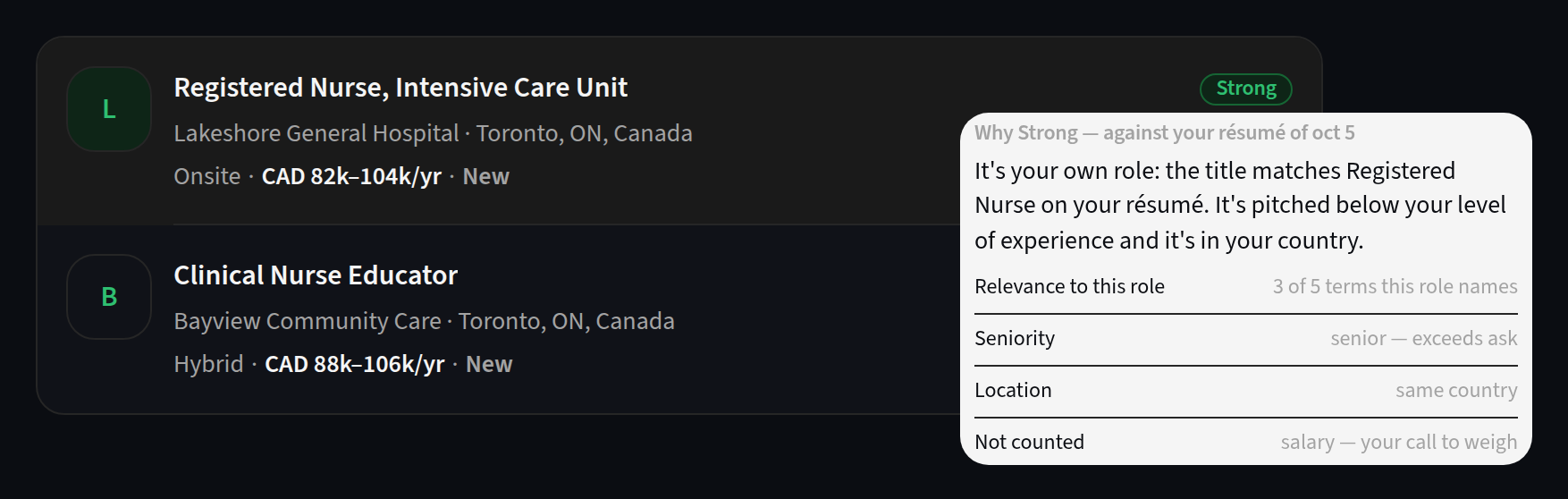
A job board that shows you a great match you aren't allowed to take wastes your time. Velai now reads the lines that decide that: "must be based in the U.S.", "U.S. citizens only", "active security clearance required", and roles with the U.S. federal government. A role like that is marked Outside and your country, shows no fit word, and sits at the end of the list.
If you can work somewhere else too, add it under Relocation in Settings and those roles get a fit label again.
A short list for today
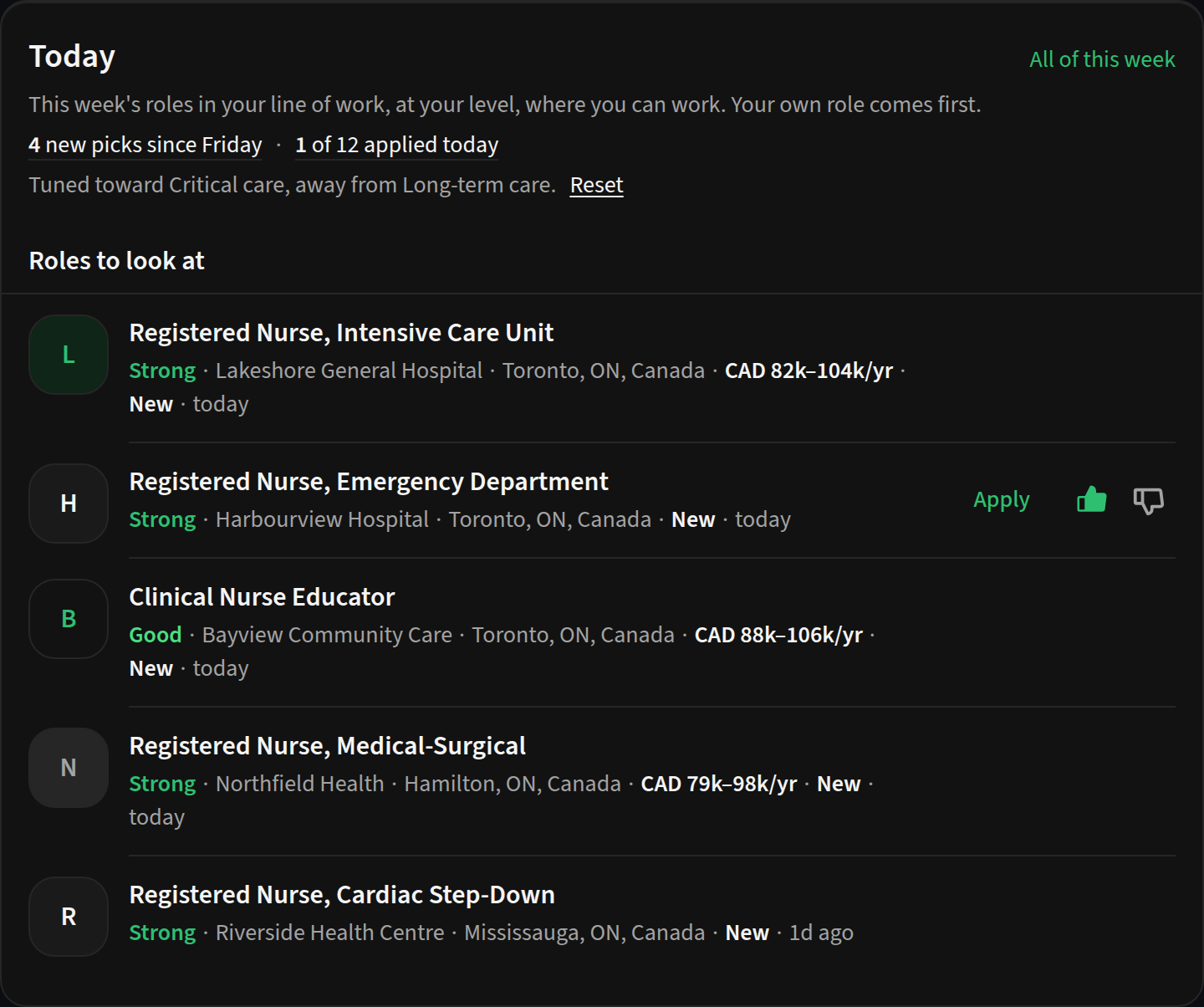
Signed in with your résumé, your Velai home opens with Today: a short list of this week's roles in your line of work, at your level, where you can work, and how many are new since your last visit. Give a role a thumbs up or down and the next picks lean toward what you liked. The line under the heading tells you what it's tuned toward, with a Reset if you want to start over.
A tailored résumé that still looks like yours
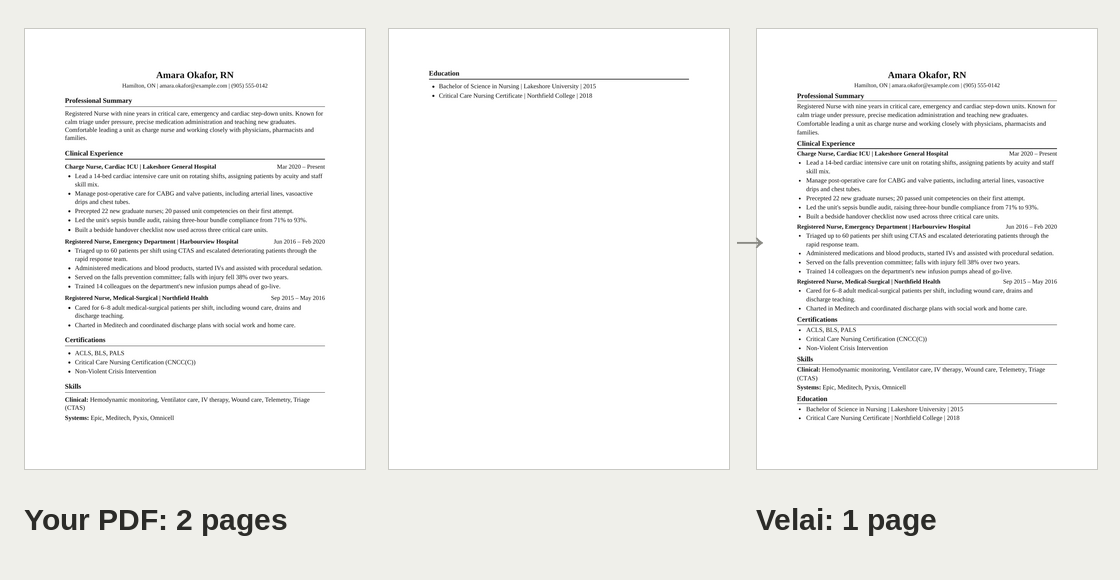
Tailor your résumé to a role and download it as a PDF. Velai now draws that PDF in the layout of the one you uploaded: the same paper size, margins and type size, in a serif or sans face to match yours. It measures that layout in your browser when you upload, so if your résumé went in before this change, upload the PDF once more.
A tailored résumé is always one page. To get there Velai tightens the spacing first, then the margins, then the type, never below 85% of your own size. If it still runs over, the bullets that matter least for that role come out, and Velai tells you which ones. Your saved résumé keeps them.
Smaller fixes
- Continue with Google finishes. Some Google sign-ins, mostly with addresses that aren't Gmail, ask for a 6-digit code sent by email. Velai didn't show that step, so you landed back at the start. It does now.
- Signing out is immediate and takes you straight to the job search.
- Company pages show their open roles sooner, and the front page appears faster on phones.
- New accounts get a short setup: your résumé or the roles you want, where you can work, and whether you'd like one email a week with new roles. Each step can be skipped.
Your résumé and your privacy
Velai reads your résumé in your browser, and the fit labels are worked out on your device too. Signed in, your résumé is saved encrypted. When AI helps read or tailor it, your name and contact details are taken out first and it runs on a sealed server that we can't read. How Velai keeps your résumé private.
Try it
Set up your matches. It takes about a minute. Something broken or missing? Tell us.